Why Stand-Alone Thin Clients Are Ideal for School ICT Labs
Choosing the best type of computers for schools and students is an important decision for schools planning to build, upgrade or expand their ICT laboratories.
A school computer laboratory is different from a home or office computer setup. School computers may be used by hundreds of students over several years, so schools need equipment that is durable, energy-efficient, affordable, easy to maintain and suitable for networking.
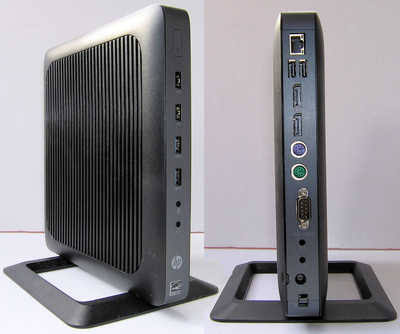
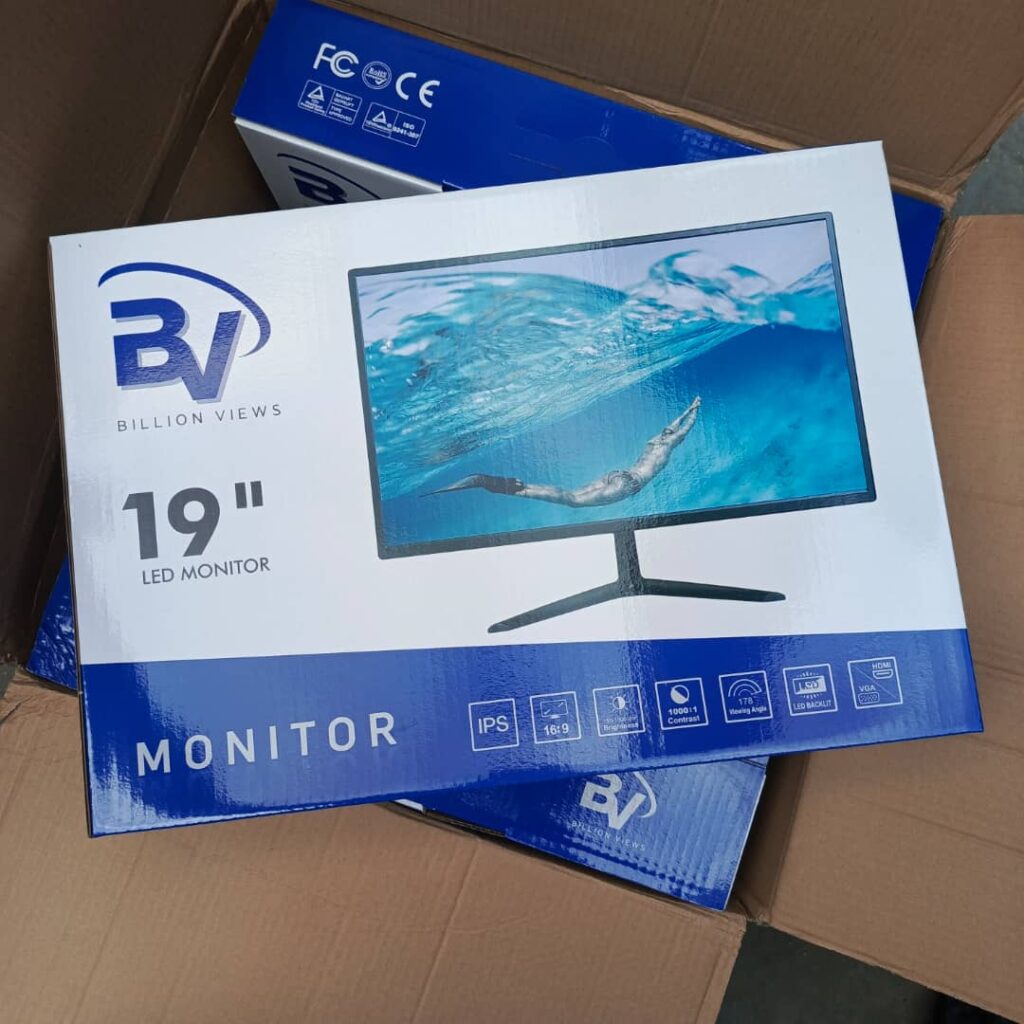
For schools looking for a practical and cost-effective computer laboratory solution, stand-alone thin clients such as the HP T620 paired with 19-inch monitors can be an excellent option.
At Tech Niche ICT Ltd, we specialize in designing and setting up practical ICT laboratories for schools in Abuja and across Nigeria. Based on our experience with school ICT infrastructure, stand-alone thin-client systems can provide an excellent balance between performance, durability, energy efficiency and cost.
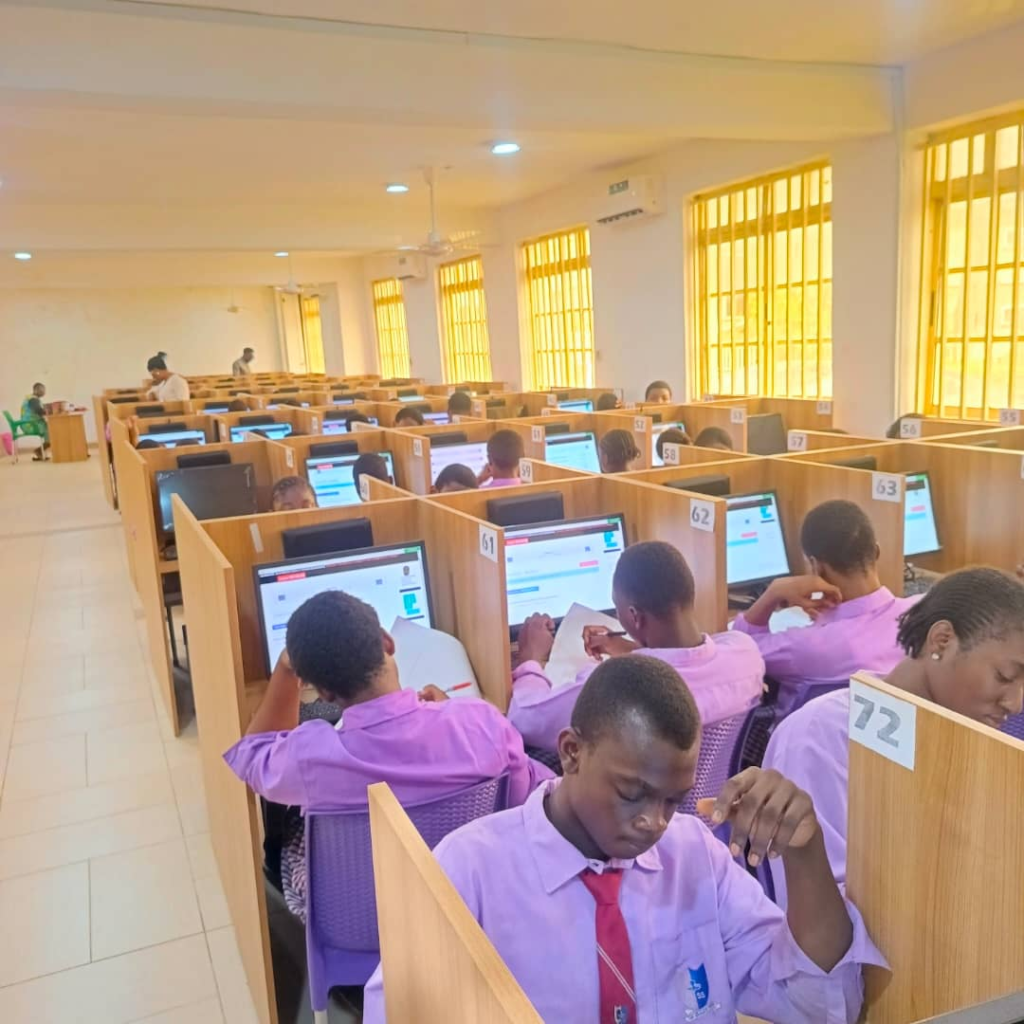
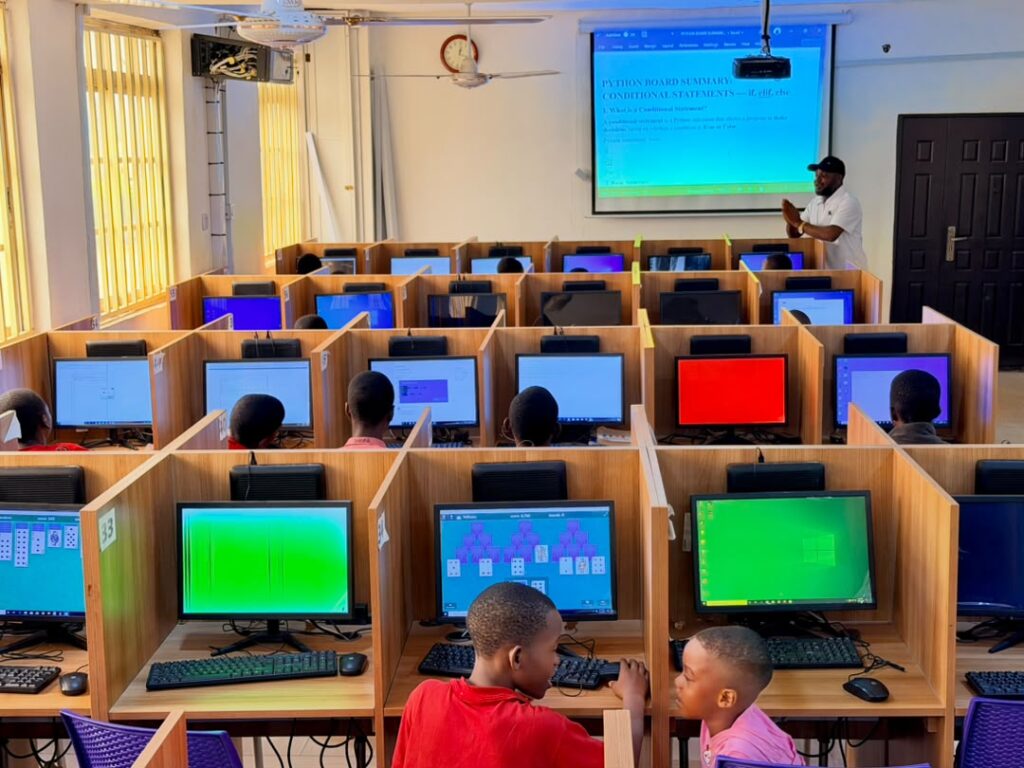
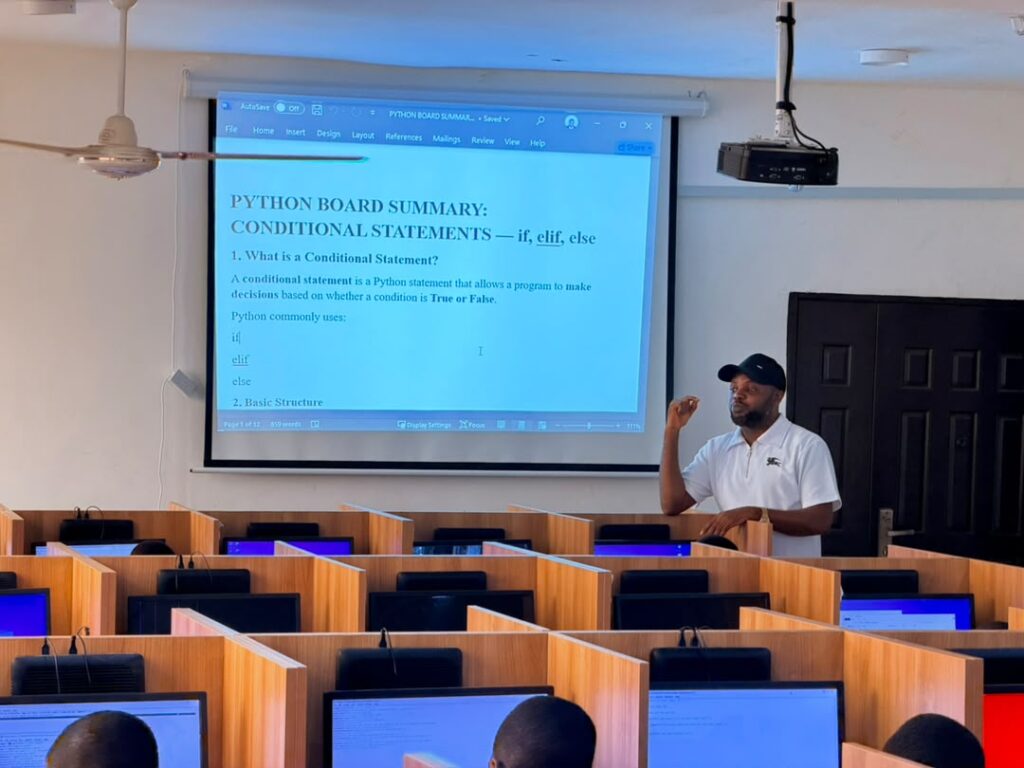
Why Stand-Alone Thin Clients Are a Smart Choice for Schools
A stand-alone thin client is a compact computer designed to perform everyday computing tasks while consuming significantly less power than many traditional desktop systems.
The HP T620 thin client is particularly suitable for school environments because it is compact, durable and can operate independently.
Unlike some people may assume, a stand-alone thin client does not necessarily mean that every student must depend on a central computer to use the system.
The HP T620 can function independently like a regular computer, making it suitable for a school computer laboratory where students need individual workstations.
When combined with a suitable 19-inch monitor, each student can have a complete computer workstation without the bulk and higher power requirements of traditional desktop systems.
1. Lower Power Consumption
One of the biggest concerns for schools operating computer laboratories in Nigeria is electricity consumption.
A laboratory containing dozens or hundreds of conventional desktop computers can consume substantial amounts of electricity, particularly when the computers, monitors, fans and air conditioners are operating simultaneously.
Stand-alone thin clients offer a more energy-efficient alternative.
The HP T620 uses considerably less power than many traditional desktop computer systems, making it attractive for schools that want to reduce the energy requirements of their ICT laboratories.
Lower power consumption can be particularly valuable for schools using:
- Solar power systems
- Inverters
- Generators
- Battery backup systems
For schools investing in alternative power solutions, reducing the electricity requirements of the computers can make the entire ICT laboratory easier to power.
2. More Durable for Student Use
School computers are used by many different students every day.
Unlike office environments where a computer may have one dedicated user, a school laboratory may have dozens of students using the same workstation throughout the week.
The compact design of a thin client can be an advantage in this environment.
The HP T620 has no large desktop tower occupying valuable space on the student’s desk. Its compact design also makes it easier to position securely and keep out of the way.
This can help reduce accidental damage caused by students moving, kicking or interfering with bulky desktop system units.
For schools looking for equipment that can withstand regular student use, durability should be an important part of the purchasing decision.
3. Save Valuable Space in the ICT Laboratory
Traditional desktop computers can require considerable desk space because of the separate system unit, monitor, keyboard and mouse.
A thin-client workstation is much more compact.
The HP T620 can be positioned neatly with the monitor, keyboard and mouse, creating a cleaner and more organized laboratory.
This allows schools to make better use of available classroom space and potentially accommodate more student workstations without creating an unnecessarily crowded environment.
4. Lower Installation Cost
Another major advantage of the stand-alone thin-client approach is affordability.
Schools do not always need expensive all-in-one computers or 2-in-1 systems to provide students with effective computer workstations.
A configuration consisting of:
HP T620 Thin Client + 19-inch Monitor + Keyboard + Mouse
can provide a practical workstation for students at a potentially lower installation cost than purchasing higher-priced all-in-one or 2-in-1 computers.
This can be particularly beneficial when a school needs to install 20, 50, 100 or more computers.
The savings can then be directed toward other important ICT infrastructure such as:
- Networking
- Internet connectivity
- Backup power
- Air conditioning
- Furniture
- Projectors
- Servers
- ICT teaching resources
5. Every Computer Can Be Connected to the Network
A school ICT laboratory should not simply be a room containing individual computers.
The computers should be properly networked so students and teachers can access the resources they need.
HP T620 workstations can be connected through a network switch or router, allowing the computers to communicate across the local network.
With proper network design, the laboratory can provide:
- Internet access
- Local network connectivity
- File sharing
- Shared resources
- Network administration
- Online learning
- CBT activities
This makes networking an important part of the overall computer-lab design.
6. Students Can Access the Internet at the Same Time
When a school has a properly configured network and adequate internet service, multiple computers in the laboratory can access the internet simultaneously.
This is especially important for modern ICT education.
Students may need internet access for:
- Online research
- Coding resources
- Web development
- Educational platforms
- Online examinations
- Digital learning
- Programming documentation
- School projects
Tech Niche ICT Ltd can design and configure the laboratory network to provide reliable connectivity across the student workstations.
7. Suitable for Coding and ICT Practical Classes
Modern school ICT education goes beyond teaching students how to type or use basic office applications.
Schools are increasingly introducing students to:
- Scratch programming
- HTML and CSS
- JavaScript
- Python
- Robotics
- Web development
- Graphic design
- Computer networking
- Digital literacy
The computer laboratory therefore needs to support practical learning.
The HP T620 can be used as part of a properly planned ICT laboratory environment where students can engage in practical computer activities.
At Tech Niche ICT Ltd, we believe that ICT is best learned by doing.
A properly equipped computer laboratory gives students the opportunity to move from simply learning about technology to actually using it.
8. Excellent for Energy-Efficient School ICT Laboratories
For schools in Nigeria, energy efficiency is becoming increasingly important.
The cost of powering a large computer laboratory can be significant.
This is why computer selection should be considered together with the school’s power infrastructure.
A laboratory designed around low-power workstations such as HP T620 thin clients can reduce the electrical load compared with a laboratory filled with conventional desktop computers.
This becomes particularly useful when the school is using a solar inverter system.
For example, a properly designed 22 kVA solar inverter system may be capable of supporting a large ICT laboratory installation involving approximately 120 HP T620 thin clients and monitors, together with fans and air-conditioning equipment, depending on the actual specifications, load ratings, battery capacity, operating conditions and power-management strategy.
The exact system design should always be calculated by a qualified power/solar professional rather than based solely on the inverter’s headline capacity.
Stand-Alone Thin Client vs All-in-One Computer
Schools often consider all-in-one computers because they look modern and save desk space.
However, there are important differences to consider.
| Feature | HP T620 + 19″ Monitor | All-in-One PC |
|---|---|---|
| Power efficiency | Excellent | Varies |
| Space requirement | Low | Low |
| Student laboratory use | Excellent | Good |
| Individual component replacement | Easier | Can be more complicated |
| Initial installation cost | Potentially lower | Generally higher |
| Networking | Yes | Yes |
| Suitable for ICT labs | Yes | Yes |
| Energy-conscious laboratories | Excellent option | Depends on model |
The right choice ultimately depends on the school’s requirements and budget.
However, for schools prioritizing low power consumption, durability, affordability and long-term laboratory operation, the stand-alone thin-client approach deserves serious consideration.
Why Tech Niche ICT Ltd Is the Right Partner for Your School ICT Laboratory
Buying computers is only one part of creating a successful school computer laboratory.
The laboratory must be properly planned, installed, networked and configured.
At Tech Niche ICT Ltd, we provide complete ICT laboratory solutions for schools in Abuja and across Nigeria.
Our expertise includes:
- School computer laboratory setup
- Thin-client computer laboratory solutions
- Computer networking
- Internet connectivity
- CBT laboratory setup
- Computer installation and configuration
- ICT laboratory maintenance
- Solar and backup-power integration
- Coding and programming facilities
- Robotics and practical ICT environments
We understand that schools need more than computers.
They need a reliable, affordable and sustainable ICT environment where students can learn and practice technology effectively.
Building an ICT Laboratory That Saves Energy and Money
The best computer laboratory is not necessarily the one with the most expensive computers.
It is the one that provides students with the right technology while helping the school manage its costs over the long term.
A properly planned HP T620 stand-alone thin-client laboratory can provide schools with:
Lower power consumption + durable workstations + lower installation costs + efficient networking + internet connectivity + practical ICT learning.
For schools planning a new computer laboratory or upgrading an existing one, this approach can provide a practical path toward a modern and energy-conscious ICT environment.
Tech Niche ICT Ltd — School ICT Laboratory Experts in Abuja and Nigeria
If your school is planning to install 20, 50, 100 or more computers, choosing the right equipment and designing the laboratory correctly can make a major difference in your long-term costs.
Tech Niche ICT Ltd has the technical expertise to help schools select, install, network and manage suitable computer laboratory systems.
From stand-alone HP T620 thin clients and monitors to networking, internet connectivity, backup power and ICT laboratory infrastructure, we can help your school build a laboratory designed for real student learning.
Looking for the Best Type of Computers for Schools and Students?
Before your school spends money on expensive computers, speak with an ICT laboratory specialist.
Contact Tech Niche ICT Ltd today for professional computer laboratory design, installation and networking services in Abuja and across Nigeria.